The Data Export Job: What No-Code Builders Should Know When a Client Sells Records to an AI Lab
A client wants to license its Slack, CRM and ticket history to an AI buyer. Here is how a no-code builder scopes the export, strips personal data and stays out of trouble.

Picture this message. A client you built a HubSpot and Zapier stack for writes: “An AI company wants to license our Slack, CRM and support ticket history. Can you pull it together?”
You are the obvious person to ask. You know where the data lives, which Zaps copy it where, and which Airtable base is the real one. That makes the job yours, and some of the risk too.
This guide covers what these buyers want, how to scope the export, how to strip personal data, why you should not keep copies, and when the right answer is “talk to your lawyer first.”
Ownership disclosure: I run No Code Jobs and howmuchismycompanydataworth.org, which introduces companies to AI data buyers and earns a referral fee from the buyer when a deal closes. This is an owner-written guide. It is not legal advice.
Why this work is showing up now
AI labs have scraped most of the public web. What they still lack is the messy, expert record of how real businesses work: a dispatcher sorting out a no-heat call, a recruiter screening candidates, a support rep fixing a billing error.
So buyers now license that history from companies directly. Scale AI’s page for companies names field services like HVAC, plumbing and electrical, plus staffing and recruiting, marketing agencies, legal and insurance among its target industries. It asks for Slack or Teams, email, CRM, Jira, Zendesk and Drive records. Other buyers publish ranges for what they pay. Replay, for example, lists $10K to $100K for companies with 20 to 50 employees, rising with headcount. Those are the buyers’ own published ranges, not a promise to any one company.
Those systems are exactly what no-code builders wire together. If you set up the CRM, the help desk and the automations between them, you are likely the one who gets the call.
If your client wants the business side explained, point them to this plain guide to how AI training data deals work. It covers what buyers check before they talk price: rights, privacy, quality and volume.
Step 1: Get written authorization first
The access you already have was granted so you could build and maintain workflows. It was not granted so you could pull five years of company history and hand it to a third party. Your services agreement almost certainly does not cover this.
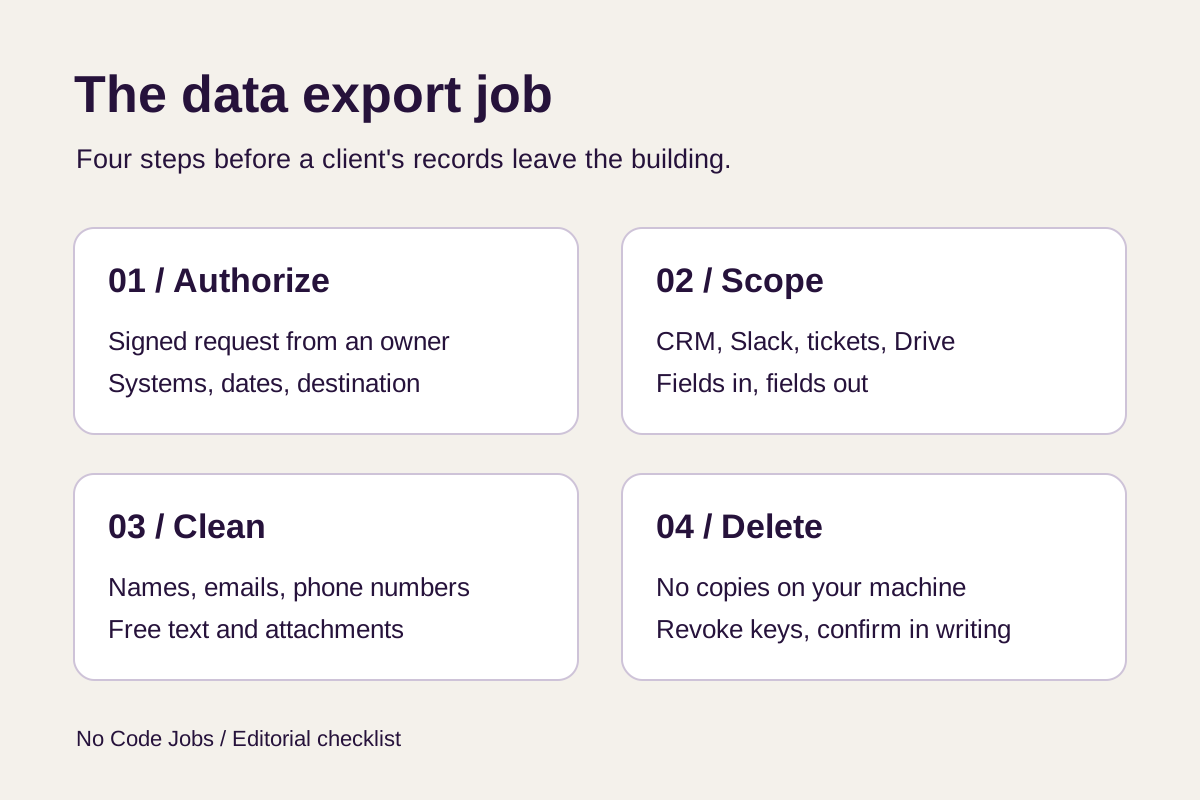
Ask for a written request, signed by an owner or officer who can bind the company. It should name:
- The systems. HubSpot, Slack, Zendesk, Google Drive, whichever apply.
- The date range. “Everything” is not a scope.
- What is excluded. HR channels, legal folders, executive DMs, anything under a confidentiality agreement.
- Where the output goes. A specific client-owned storage location, not “send it to the buyer.”
- Who removes personal data, and to what standard.
- When you delete your working files.
Then write a separate statement of work for the project. This is new work with new risk. Price it as its own job, not as a favor inside a retainer.
Step 2: Scope the export system by system
Before you export a single file, build an inventory. A simple Airtable base works. For each system, record what it holds, how you can export it, and what personal data sits inside.
| System | What buyers want from it | Personal data to watch for |
|---|---|---|
| CRM (HubSpot, Salesforce, Pipedrive) | Notes, call logs, email threads, deal history | Contact names, emails, phone numbers, addresses, notes about people |
| Help desk (Zendesk, Intercom, Freshdesk) | Tickets and the replies that solved them | Requester details, order and account numbers, pasted screenshots |
| Chat (Slack, Teams) | Working conversations in shared channels | Employee names, DMs, personal side talk, shared files |
| Project tools (Jira, Asana, ClickUp) | Issues, comments, resolution steps | Assignees, customer names in titles, attachments |
| Docs (Google Drive, Notion) | Manuals, SOPs, reports, proposals | Signatures, client names, pricing, contracts |
| Automation logs (Zapier, Make, n8n) | Usually nothing | Copies of payloads that passed through each step |
That last row matters more than it looks. Automation run history often stores copies of the data that passed through. If the client wants a clean picture of where records live, include it in the inventory. Do not include it in the export.
Also check what each tool lets you export, and under what role. Export options often depend on the plan and on who is asking. Private channels and direct messages deserve extra care. Employees wrote them expecting a small audience. Leave them out unless the client and their counsel have decided otherwise in writing.
Step 3: Remove personal data like you mean it
Most training deals require personal information to be removed first. Deleting the “Name” column is not enough.
Personal data hides in places a field mapping will not catch:
- Free text. “Call Maria back at 555-0142 about her mom’s furnace” is a support ticket with three identifiers in it.
- Email signatures and headers. Every forwarded thread carries names, titles and phone numbers.
- Attachments. Invoices, photos of a customer’s house, scanned IDs.
- Linked records. In Airtable or a CRM, a “clean” table can still pull a name through a lookup field.
- Employees. Slack history is mostly staff talking. They are people too.
A workable process:
- Agree on the rules in writing: which fields are dropped, which are replaced with placeholders, which are kept.
- Run the rules on a small sample first.
- Have a person read that sample line by line. Automated tools miss things, and so do you.
- Fix the rules, then run the full set.
- Keep a log of what you removed and how. The buyer will ask, and the client should be able to show it.
Your job is to apply the standard carefully. Deciding what the standard should be belongs to the client, the buyer and their lawyers.
Step 4: Do not keep copies
This is the easiest rule to break by accident. The export lands in your Downloads folder. A CSV sits in your Google Drive. A test Make scenario keeps a copy of every record it touched.
Set it up so you never hold the data:
- Work inside storage the client owns and controls.
- Use credentials the client issues for this project, and have them revoked when you finish.
- Turn off or delete any automation you built just for the export.
- Clear local files, synced folders and run history.
- Send the client a short note confirming what you deleted and when.
If something goes wrong later, “I never had a copy” is the strongest sentence you can say.
When to tell the client to talk to a lawyer
You are a builder, not counsel. Say so plainly, and say it early. Push the client to get legal advice before anything leaves their systems if:
- The data covers consumers, not just other businesses.
- It includes health, financial, legal or children’s information.
- Customers or staff live in places with strict privacy laws, such as the EU or California.
- Their privacy policy or customer contracts promised the data would not be shared.
- The buyer wants raw records with names left in.
- The license is exclusive, or it lets the buyer resell the data.
The FTC has warned that quietly changing terms of service to use data for AI training could be unfair or deceptive. If the client’s plan is “update the privacy policy, then export,” that plan needs a lawyer.
Some clients reach you before they know whether any buyer wants their data at all. That is a cheaper question to answer before you scope anything. A short estimator that matches companies to buyers will tell them which buyers fit their size and industry, and what those buyers publish about pay.
FAQ
Can I export a client’s data just because I already have admin access?
No. Access you were given to maintain automations is not permission to pull the whole workspace for a sale. Get a signed request from someone who can bind the company before you export anything.
Who decides what personal data gets removed?
The client and the buyer agree on the standard, ideally with a lawyer. Your job is to apply it carefully, test it on a sample and log what you did.
Should I keep a backup of the export in case something goes wrong?
Keep it in storage the client owns, not on your machine or in your own cloud accounts. When the handoff is done, delete your working files and confirm that in writing.
When should I tell the client to talk to a lawyer?
Before anything leaves their systems if the data covers consumers, health, money or legal matters, if their privacy policy promised not to share it, or if the buyer wants raw records with names left in.
What to send the client
One page with four lines: what you need signed, which systems are in scope, how personal data will be removed and checked, and when you will delete your copies. Add a sentence recommending they have a lawyer read the buyer’s contract.
A client who gets that page will trust you with the next project too.